Actual Workflow
From carrier source files to a ready-to-use Dynamic Ratesheet
This page shows the complete process using actual files. Rate Forge accepts different carrier Excel layouts, processes them according to established contract rules, and produces one consistent rate sheet for searching and comparison.
01
Input
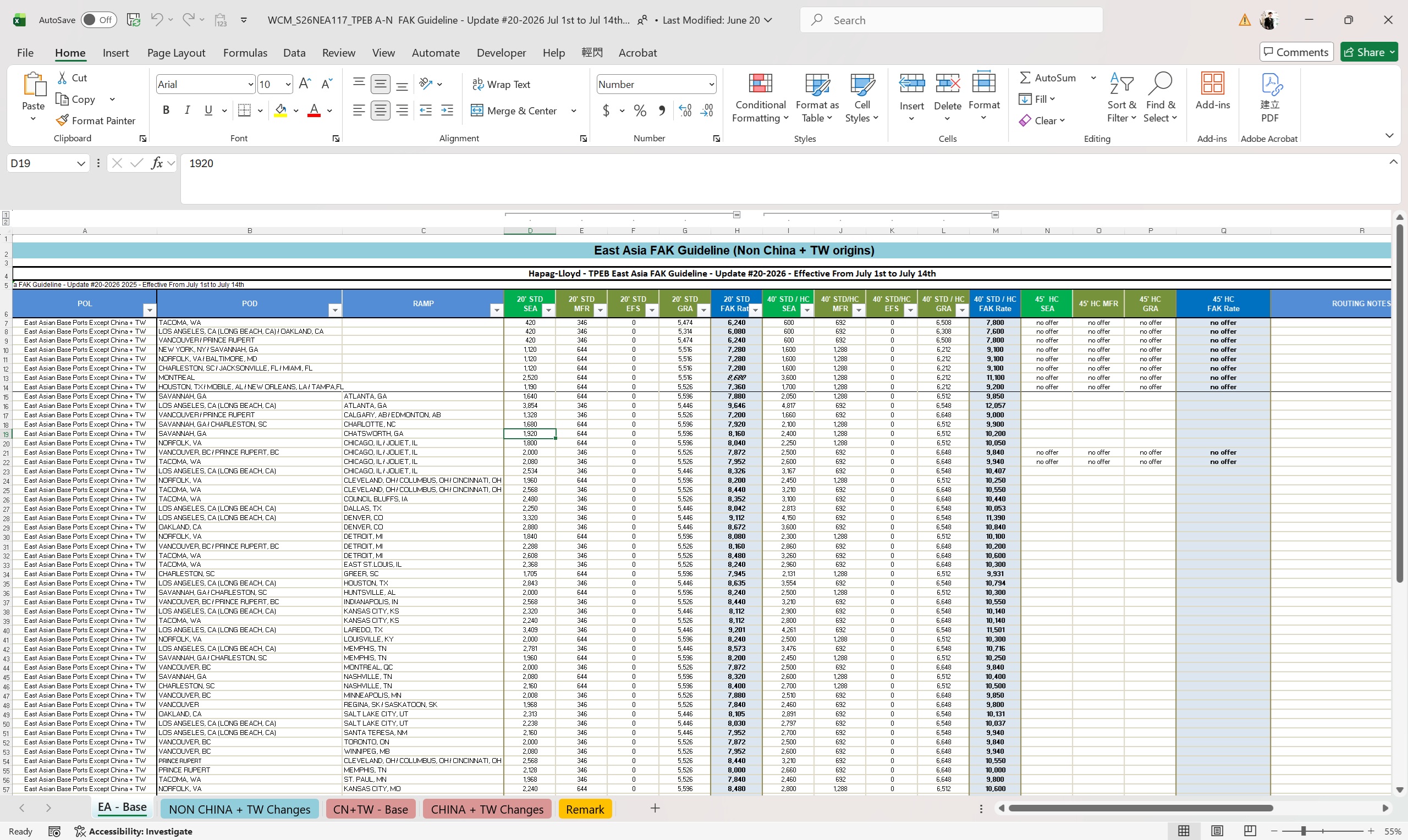
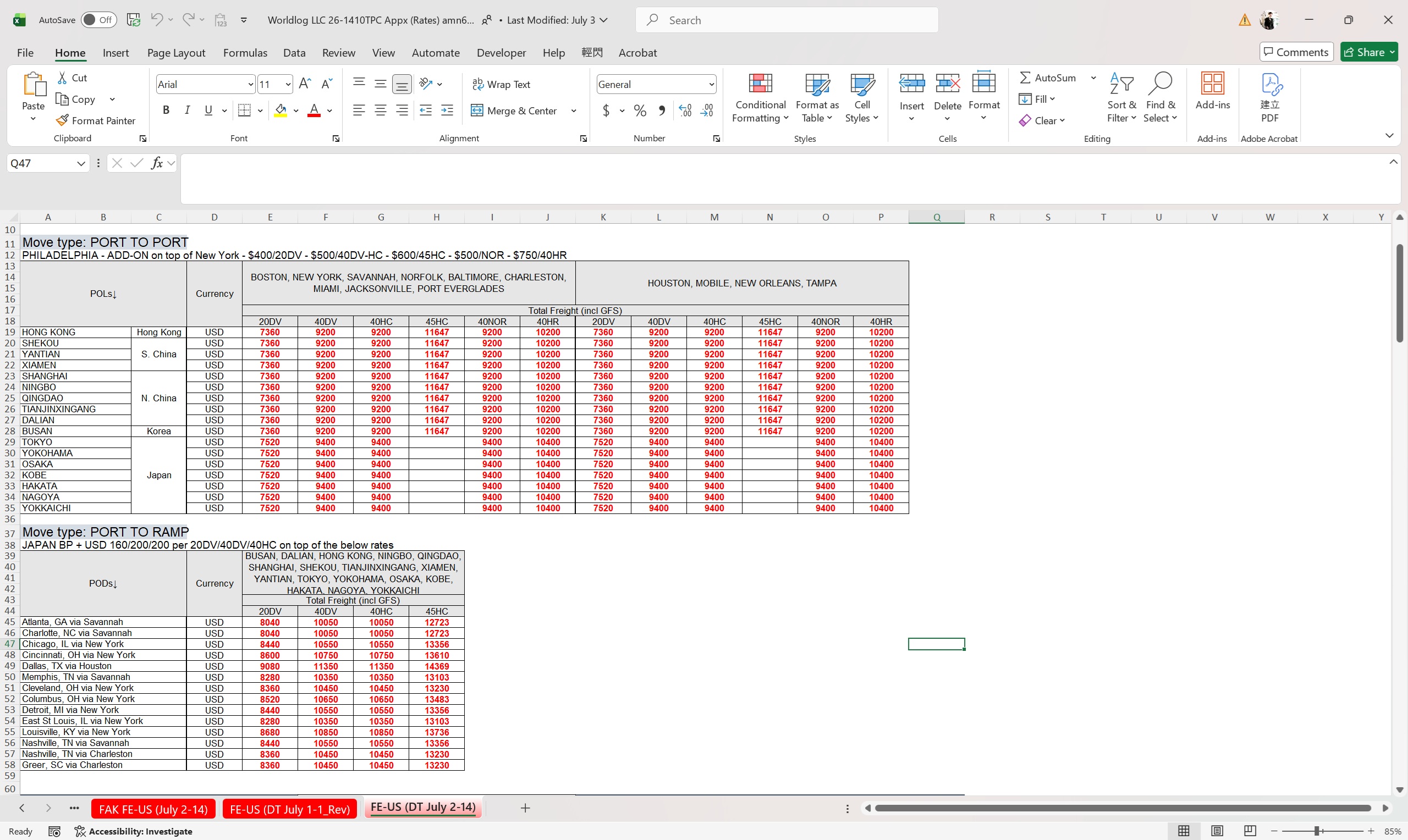
Prepare the original carrier files
Source files do not need to follow the same layout. The two Excel files below use different columns, worksheets, colors, and rate structures. Rate Forge processes each file according to its established contract rules.
02
Upload
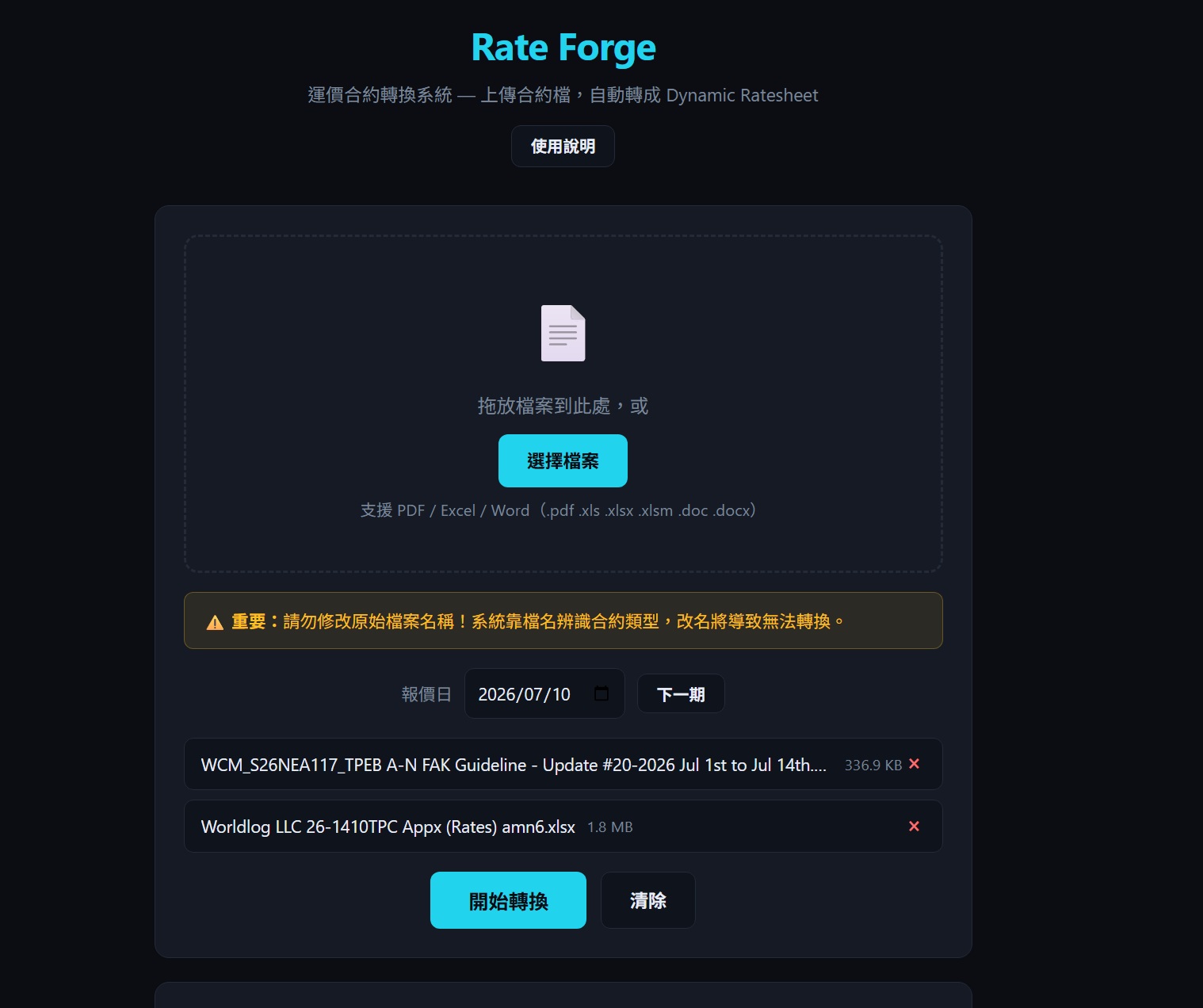
Upload the source files to Rate Forge
Select one or more contract files. Rate Forge shows the original file names and sizes before processing. Confirm the pricing date, then start the conversion. Original file names must be retained because they help identify the contract type.
03
Complete
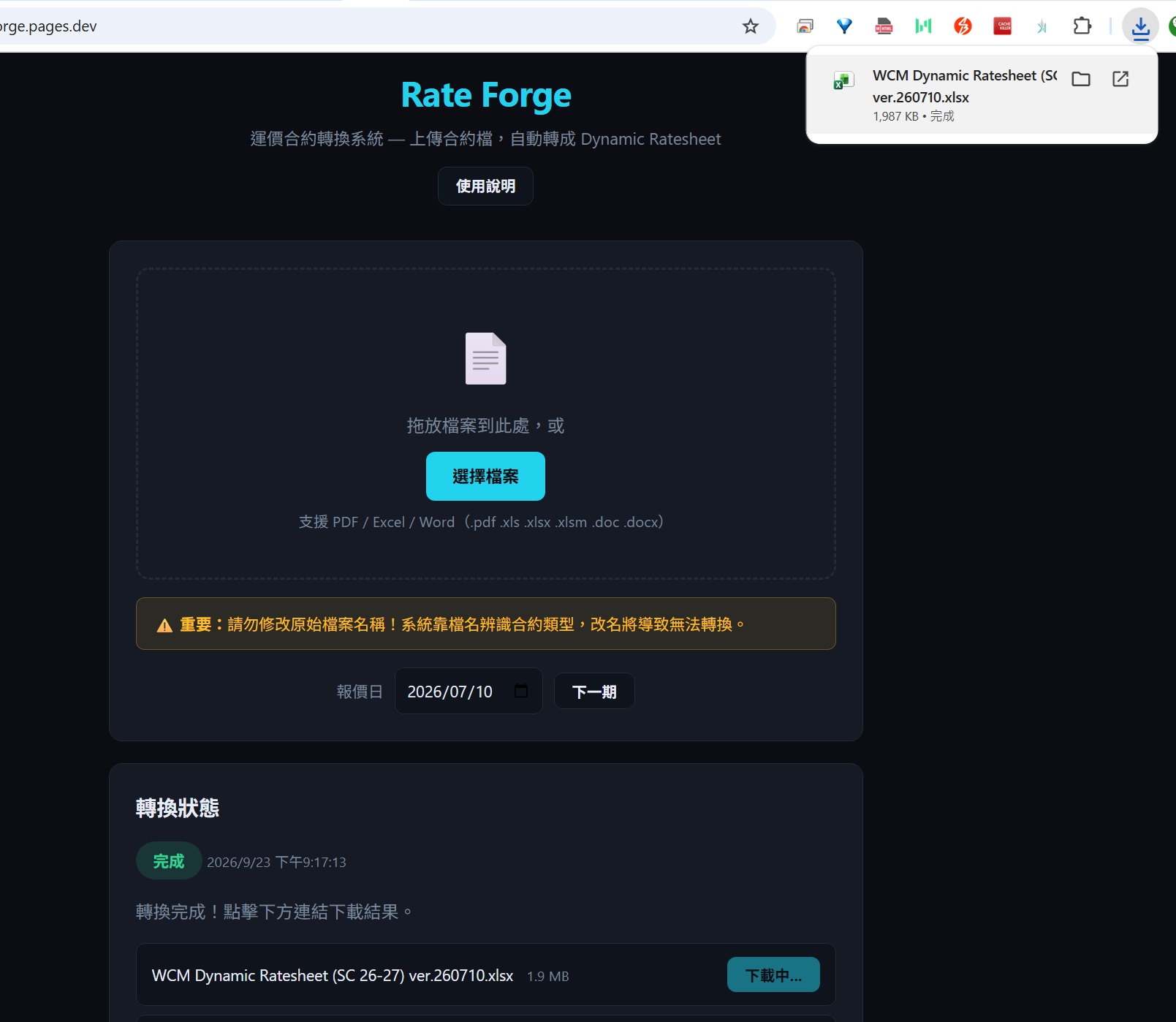
Wait for completion and download the result
When processing is finished, the green status shows that the job is completed and the generated files become available for download. In this example, Rate Forge produced and downloaded the WCM Dynamic Ratesheet.
04
Output
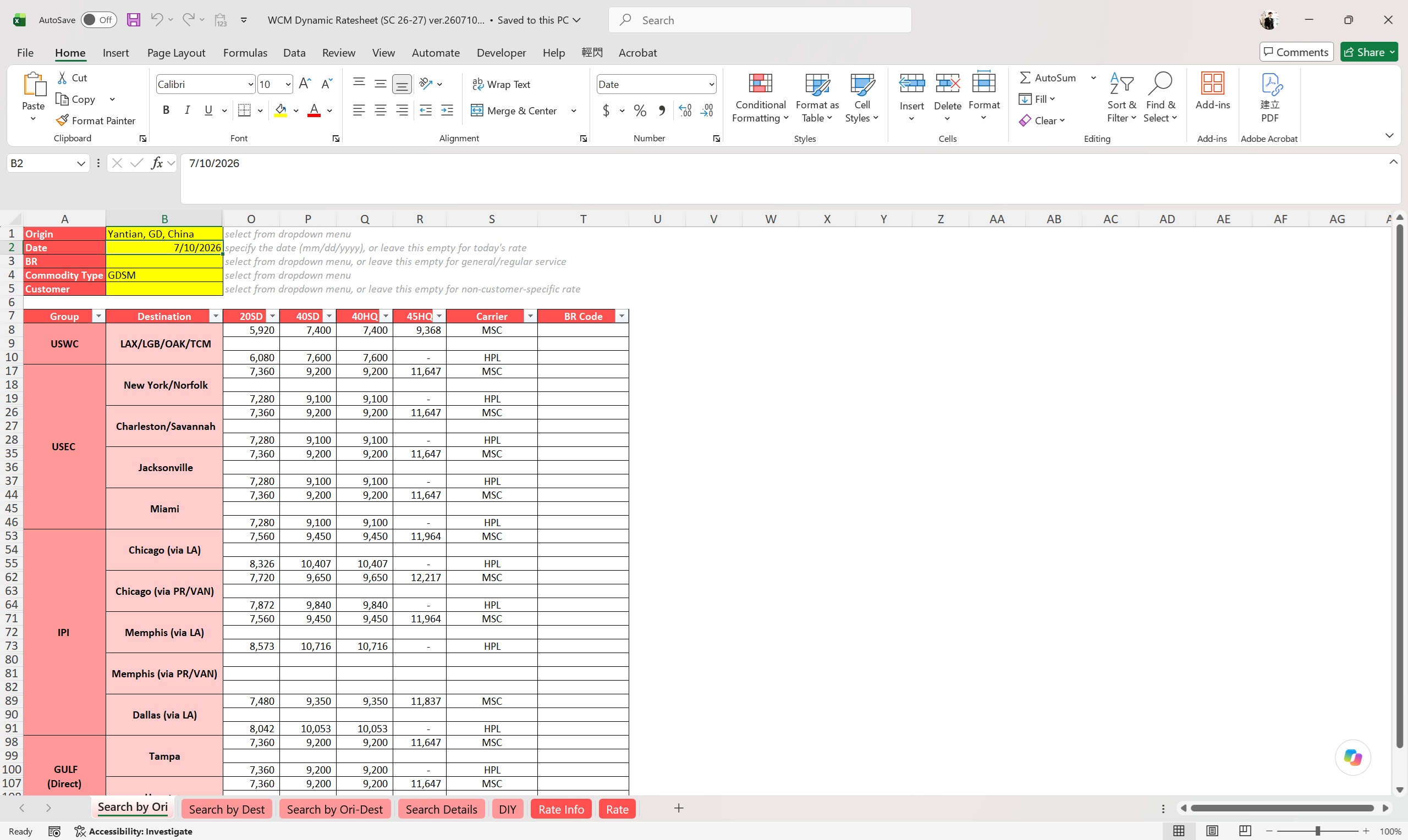
Open the generated Dynamic Ratesheet
The output consolidates different source contracts into one consistent rate-search format. Users can select the origin, pricing date, and other criteria to review currently applicable rates from different carriers.
What this workflow means
Users do not need to manually rearrange each carrier's spreadsheet. Rate Forge applies established contract rules to standardize the data, calculate applicable rates, and produce the final rate sheet. New or unsupported layouts and missing reference data are still routed for manual review.